
Write at speaking speed
Say the idea once and get in seconds a message that would take much longer to type.

Android · private testing
Speak naturally and Dot Dictation turns your ideas into clear, expressive, well-punctuated text inside the app where you are typing. Compose messages, emails and longer texts much faster without giving up your preferred keyboard.
What it does
Say the idea once and get in seconds a message that would take much longer to type.
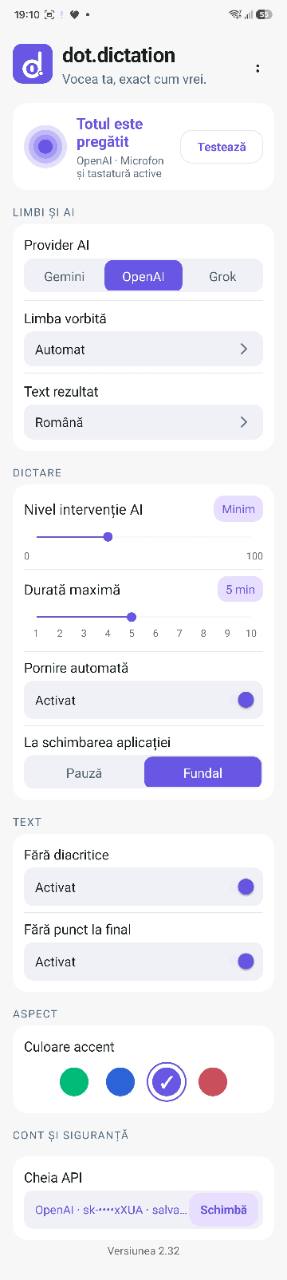
Adds commas, full stops and question marks, separates ideas and makes the result easier to read.
Keeps your meaning and tone while making the message more natural and coherent when you ask it to.
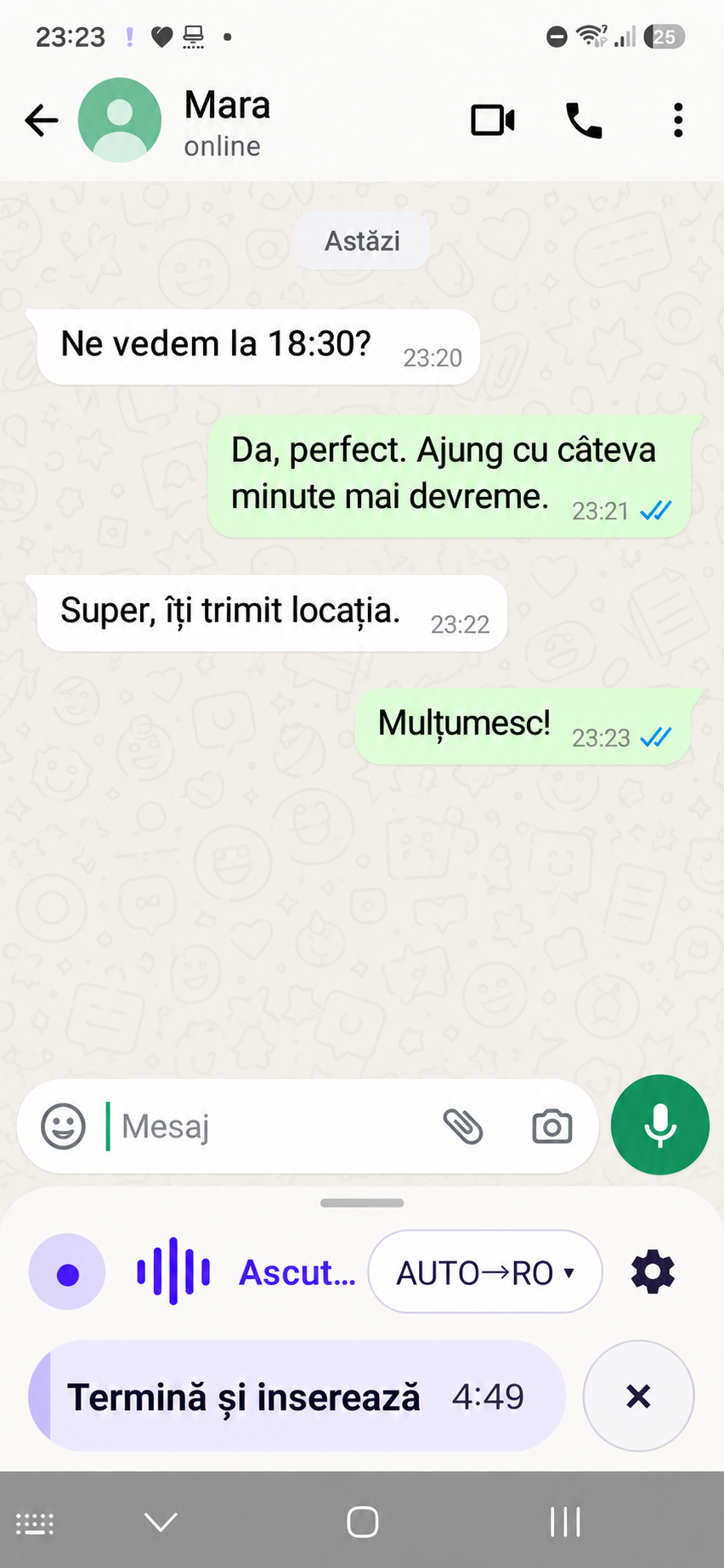
WhatsApp, email, browser, documents or any app that uses the Android keyboard.
It can detect the spoken language and generate text directly in the selected output language.
Choose between near-verbatim transcription and more natural phrasing, with optional diacritics and final punctuation.
You no longer interrupt a thought to find letters or punctuation. Useful for long texts, quick replies and people who find typing difficult.
Record, process, insert into the active field and automatically return to the default keyboard.
How it works
Choose Dot Dictation from the Android keyboard selector.
Speak and follow the remaining time directly on the action button.
Tap “Finish and insert”; the text appears in the active field.
Privacy by design
Audio is sent over encrypted HTTPS to the selected AI provider. Temporary files are deleted after processing and transcripts are excluded from technical logs.
Legal & support